



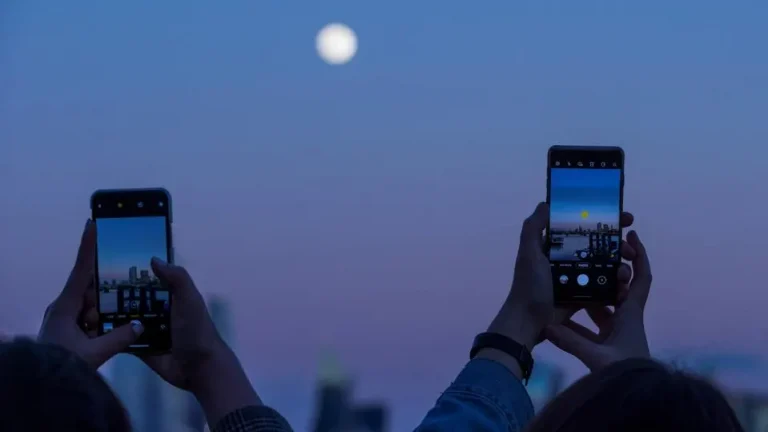
How can you capture the full Moon on your smartphone?
This Saturday at dusk, the Hunter’s Moon, also known as October’s Full Moon, will appear as a gorgeous, muted orange orb in the east. This is a rare sight, occurring only every “month” or 29 days.
This full Moon will also drift in Earth’s space shadow to cause a partial eclipse. This will be most visible in Europe, Africa, and Asia, where the natural satellite will have its brightness reduced (making it easier to photograph) and appear to have had a small, fluffy bite taken out.
The slight lunar eclipse is about to enter its final stages, just as the northeastern U.S. watches a full moon rise. But the orangey color on the surface of the Moon–a phenomenon that occurs only for a few moments each month—-is worth photographing. Here’s how:
Locate a Good Location
You need to be able to see the horizon on the east side of your building. It is best to be on the second or third floors, but you will also need to make sure there are no low clouds.
Take Advantage of Optical Zoom
If you have a telephoto lens, it will come in handy. Avoid using the digital zoom feature, which is available on all cameras. It will only crop the image. A clip-on lens is another technique. These lenses cost only a few dollars. If you own a telescope, point it at the Moon and take a quick picture with your smartphone. It is so easy.
Use A Tripod
A smartphone can be used to capture a great image of the Moon. To do this, you need to keep it steady. This is best achieved by using a small tripod connected to a universal smartphone holder. Resting your smartphone on a ledge or leaning it against a flat area is another way to keep it reasonably still.
Do Not Touch Your Smartphone
When you touch the screen, vibrations are introduced that cause blur. Use a remote shutter release, such as a Bluetooth Remote, or the volume controls on a pair of earphones (wired or wireless) to activate the shutter. You can also use the built-in delay of a smartphone if you are using a tripod. This will allow your smartphone to settle down after you have touched its screen.
Lock Focus on the Moon
Touch the Moon on an iPhone to focus it. Then, touch it again and hold it for a few seconds; this will lock the focus. Drag the image of the sun (to lower the ISO and the exposure) down until you can see the detail in the Moon.
Find a Photography App
Third-party applications such as Camera+2, VSCO, or Yamera give you greater control over the camera settings on your smartphone than built-in apps. They allow you to change ISO and shutter speeds but also capture images in raw format, which is a larger file that can be easily processed afterward without losing quality.
Take Along a Battery
The Moonrise will take about 5-10 minutes to complete, but you’ll likely spend at least 20 continuous minutes with the camera of your smartphone on. This will drain your battery quickly, so keep a backup battery nearby.